In order to use notion widget apps, for example recurring task app or Pomodoro app, you will need to connect your Notion workspace. This connection enables you to select which Notion database to use with your favorite applications.
Connecting Your Notion Workspace
- After signing in or creating an account with Notion Widgets, click your avatar in the upper right corner
- Select "Settings" from the menu that appears

- On the settings page, click the "+" button to connect your Notion workspace
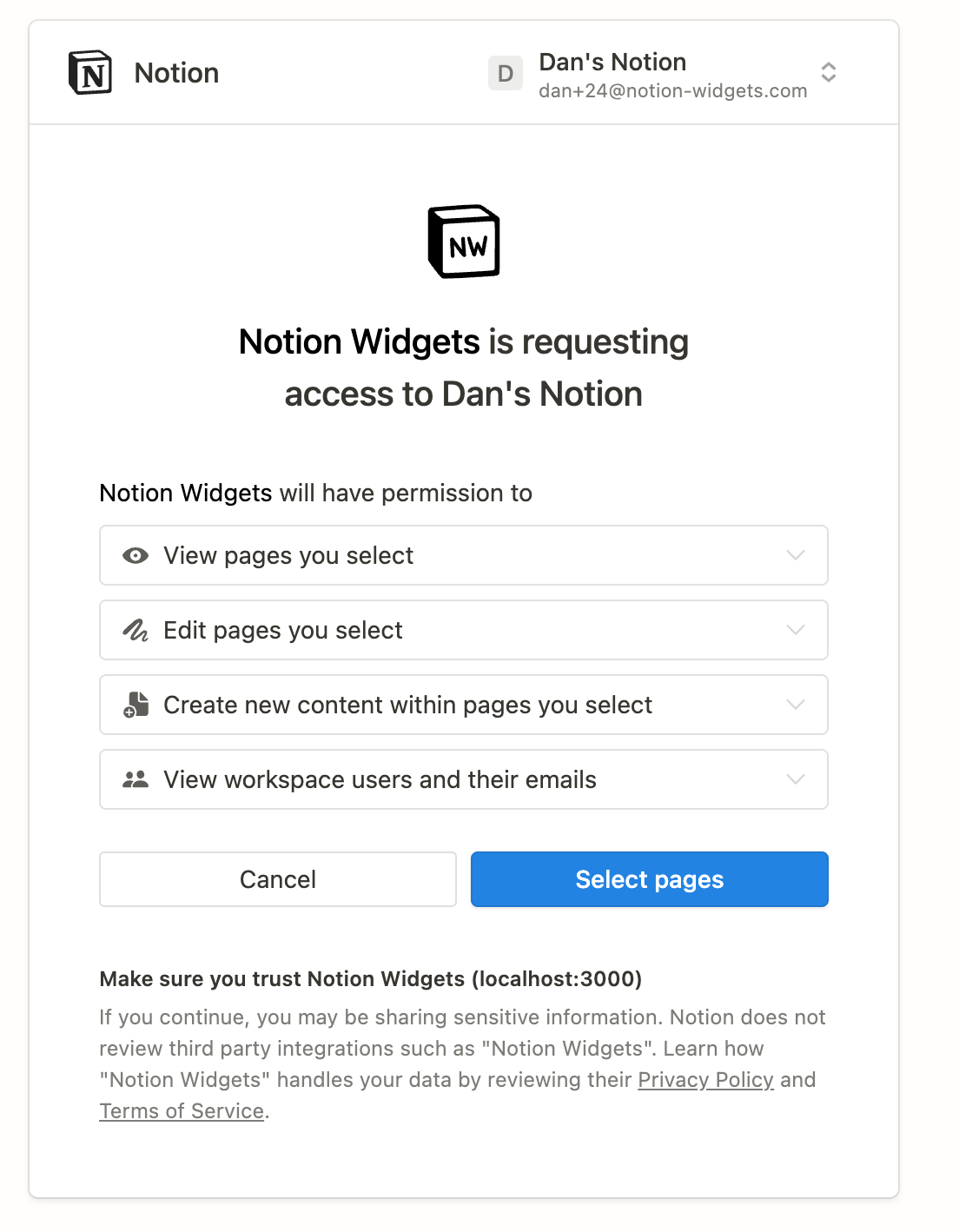
- You'll be redirected to Notion's authorization page requesting permissions for the app to access your workspace
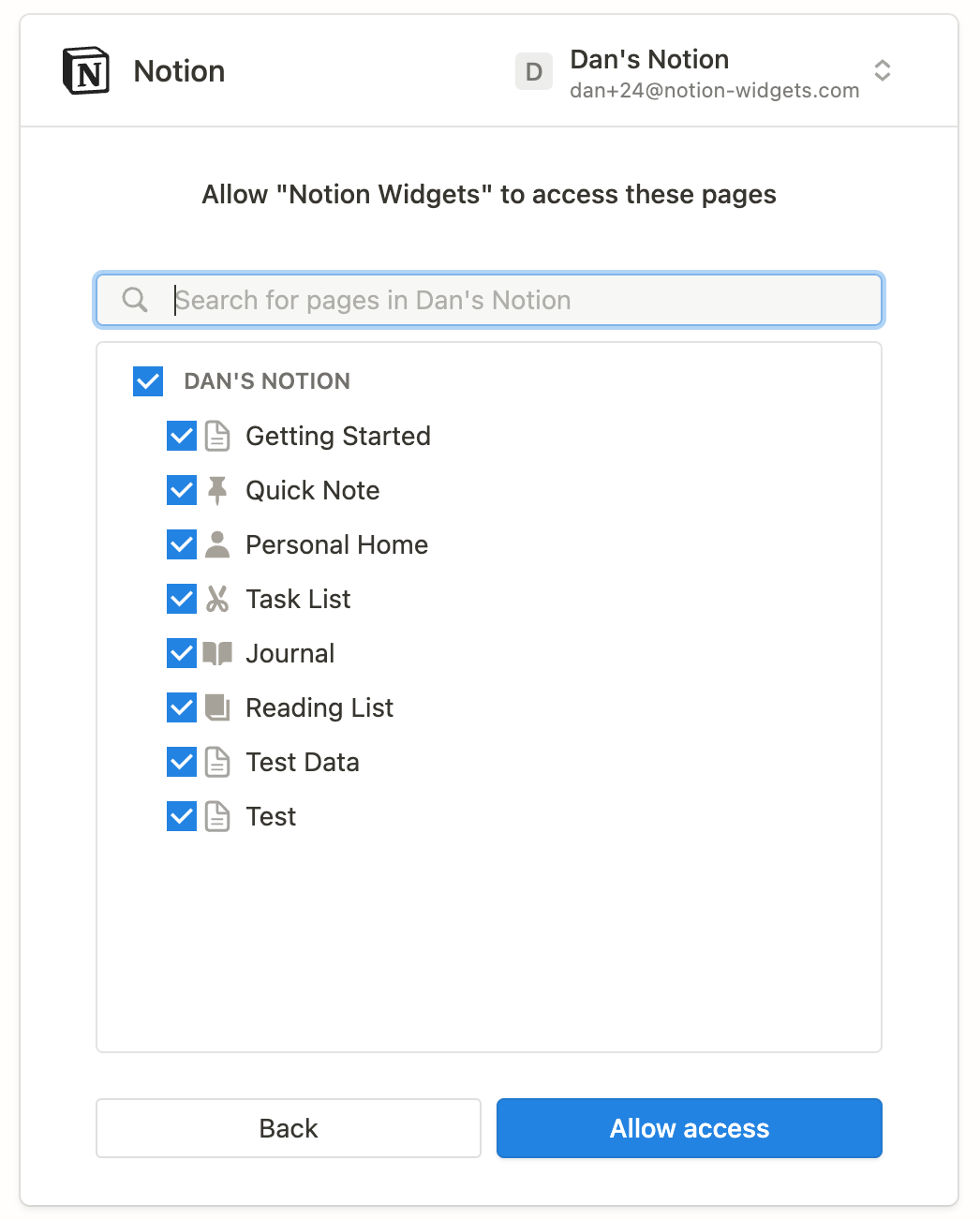
- Select which pages should be accessible to Notion Widgets
- Confirm by clicking "Allow access" to complete the connection
- You'll be redirected back and can now use the available apps
Troubleshooting
- Verify you've granted necessary permissions and are logged into the correct Notion account
- Confirm you're using the correct Notion account credentials
- Ensure you have an active internet connection