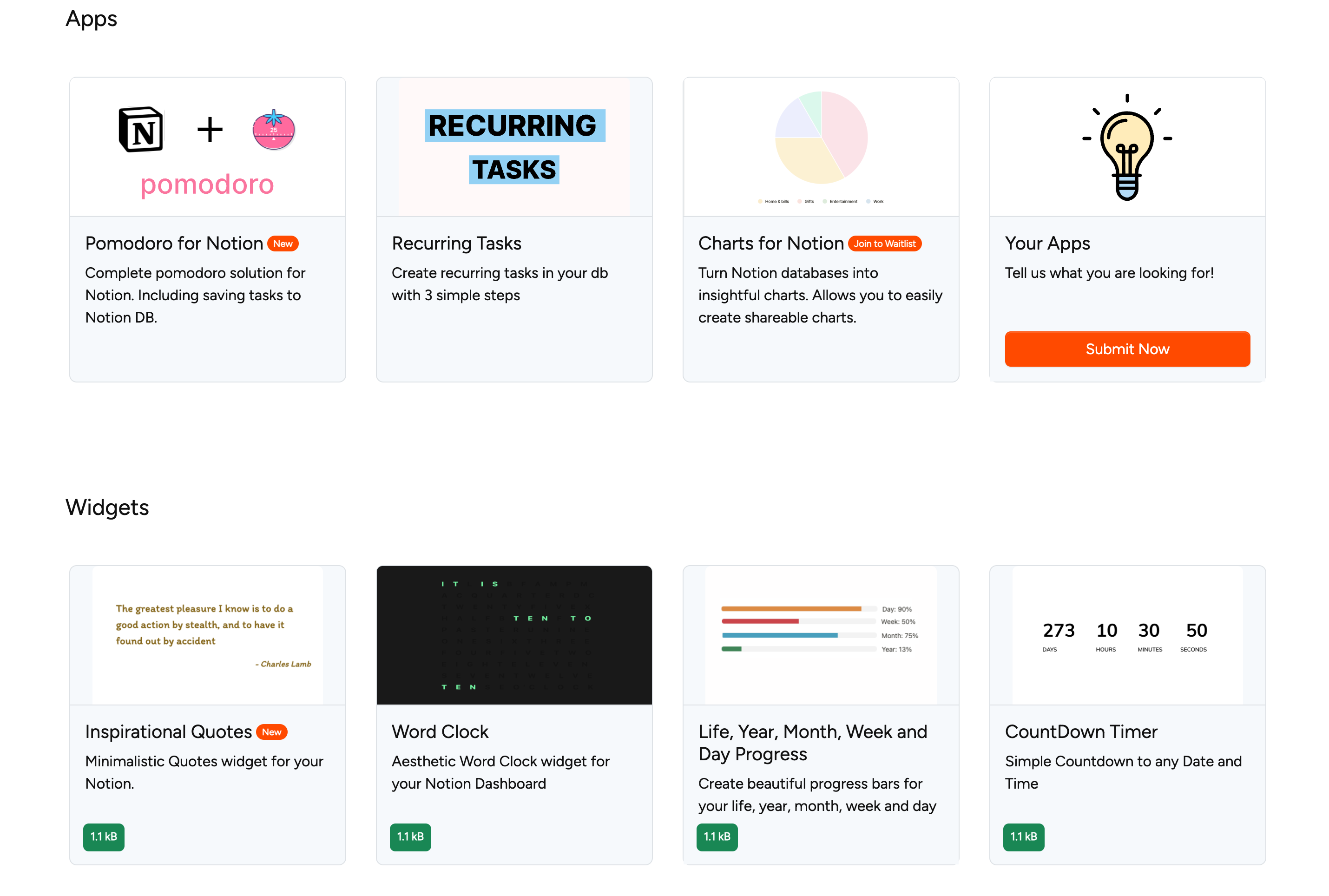
Step 1: Select one widget or app
- Go to the home page where you find all available widgets and apps
- Select a widget or app from the list
- In this case, we select the widget "count down timer"
Step 2: Customize your selected widget
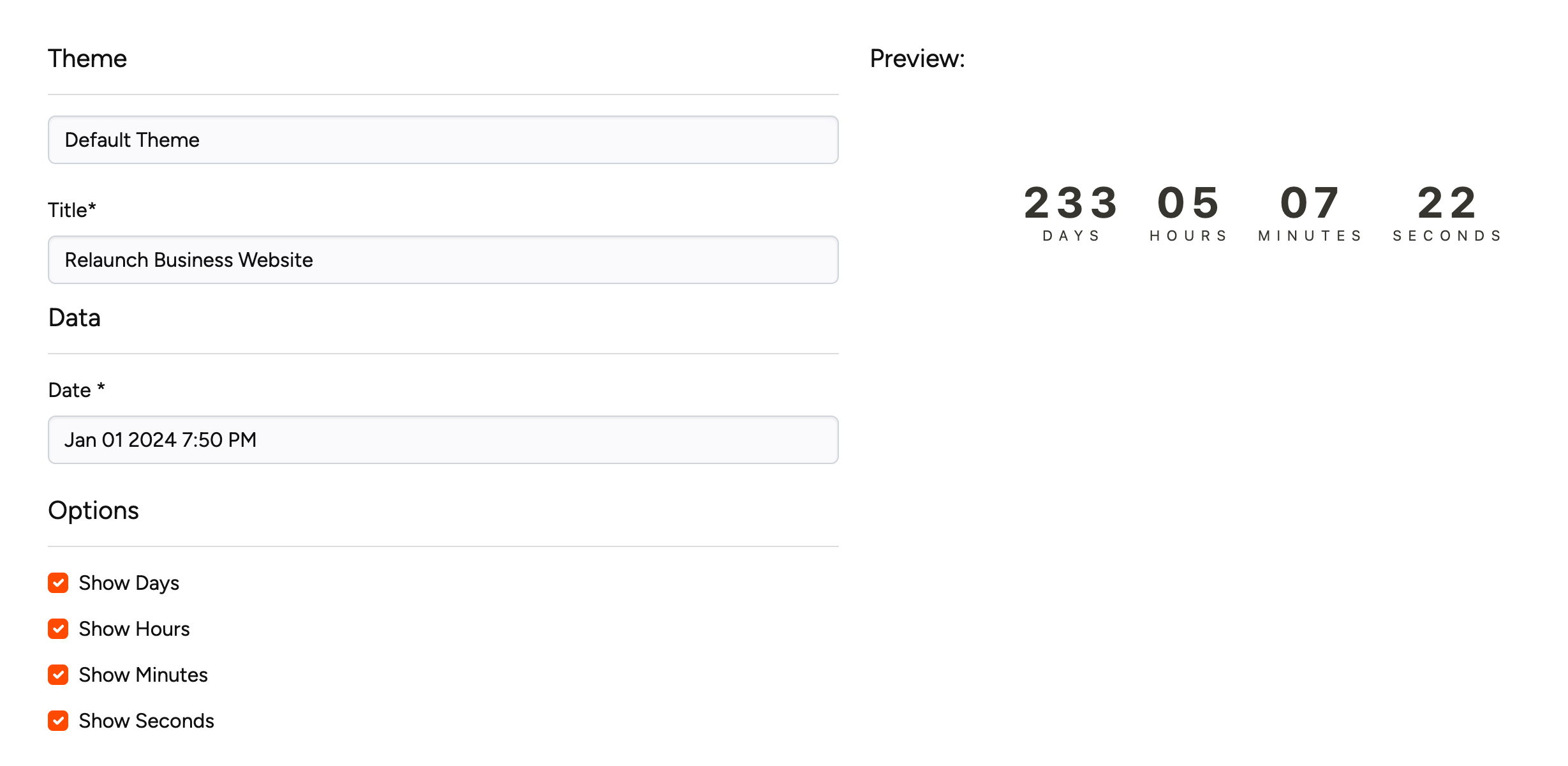
- Scroll down to customizing area
- Make your changes on your widget
- Once you are happy with the settings you just have to press the "create widget" button and the widget will be created for you.
Note: Depending on your activated plan, you may not be able to create a widget or app. In this case, you will see a corresponding error message.
Step 3: Embed in notion document
After clicking on the "create widget" button you will see a small video "how to embed widget" or you will be redirected to the account page.
If you are redirected to the account page you will need to copy the link. Just click on the button after the embed link.
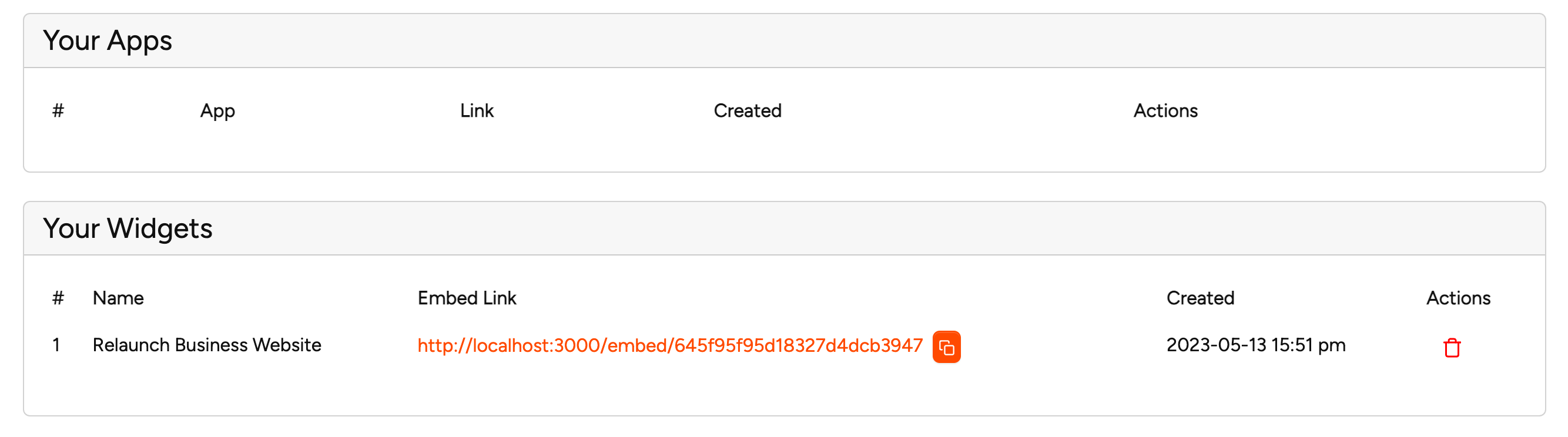
- Click on the copy button
- Go to notion and paste (STR + V) or right mouse click and select from the menu list paste
- Notion will ask how you want the link embedded on the page. Just select "create embed"

Here is the small video to embed widgets or apps: