Views function as more than metrics — they represent a core component of subscription pricing. Understanding how views are calculated helps clarify discrepancies with other analytics platforms.
What are views?
Most widgetly subscriptions include view limits. See Pricing for details.
A view is counted each time someone loads the page containing your widget. Every page load with the widget triggers a count.
Important distinctions:
- Views ≠ Clicks on the widget
- Views ≠ Unique visitors of the page
- Views ≠ Times the visitor actually sees the widget (e.g., scrolling to a bottom-positioned widget)
Analytics tools typically track unique visitors, which differs from this view calculation method. Higher traffic requires costlier plans because increased views demand greater server resources.
How does view limit work?
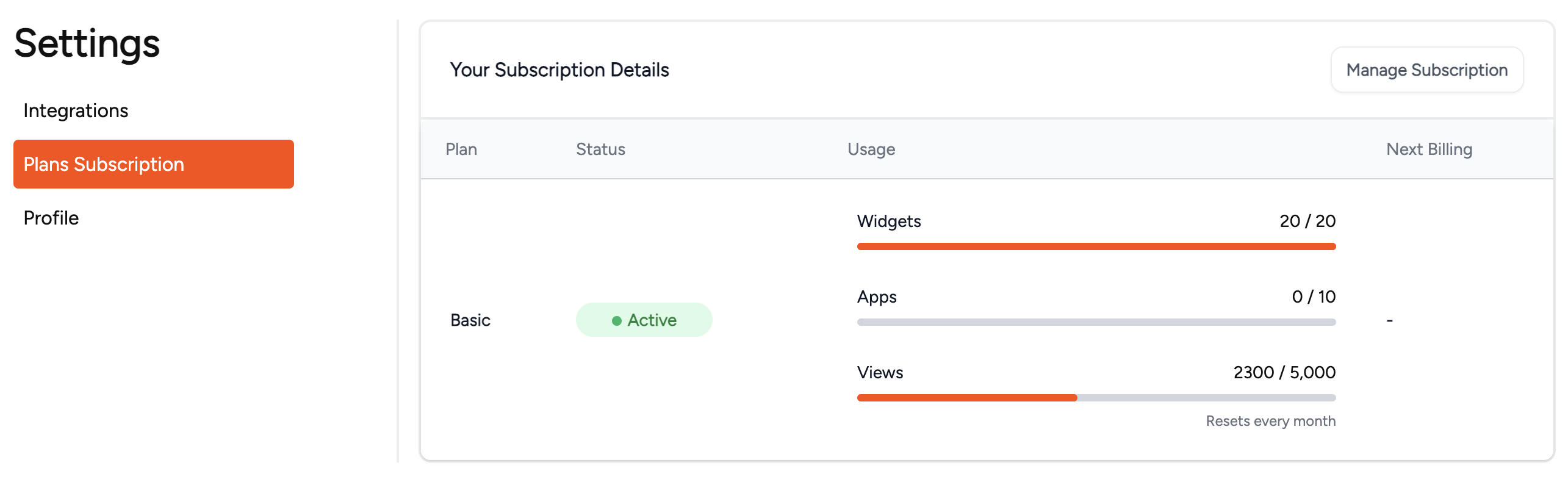
View limits reset monthly and apply account-wide, not per-widget or website. Multiple widgets or identical widgets across pages accumulate views together. Loading two widgets on one page counts as two views.
How do I monitor my view limit?
Exceeding limits deactivates widgets until month-end or plan upgrade occurs.
Access the Settings tab via your avatar's top-right corner. When reaching 90% capacity, a progress bar appears in your navigation. Clicking it reveals detailed usage statistics.

Regular monitoring prevents service interruptions and enables effective subscription management.
What happens if the view limit is exceeded?
All widgets become temporarily disabled. Visitors receive notifications of inactivity. Reactivation requires upgrading your plan or awaiting the next month.