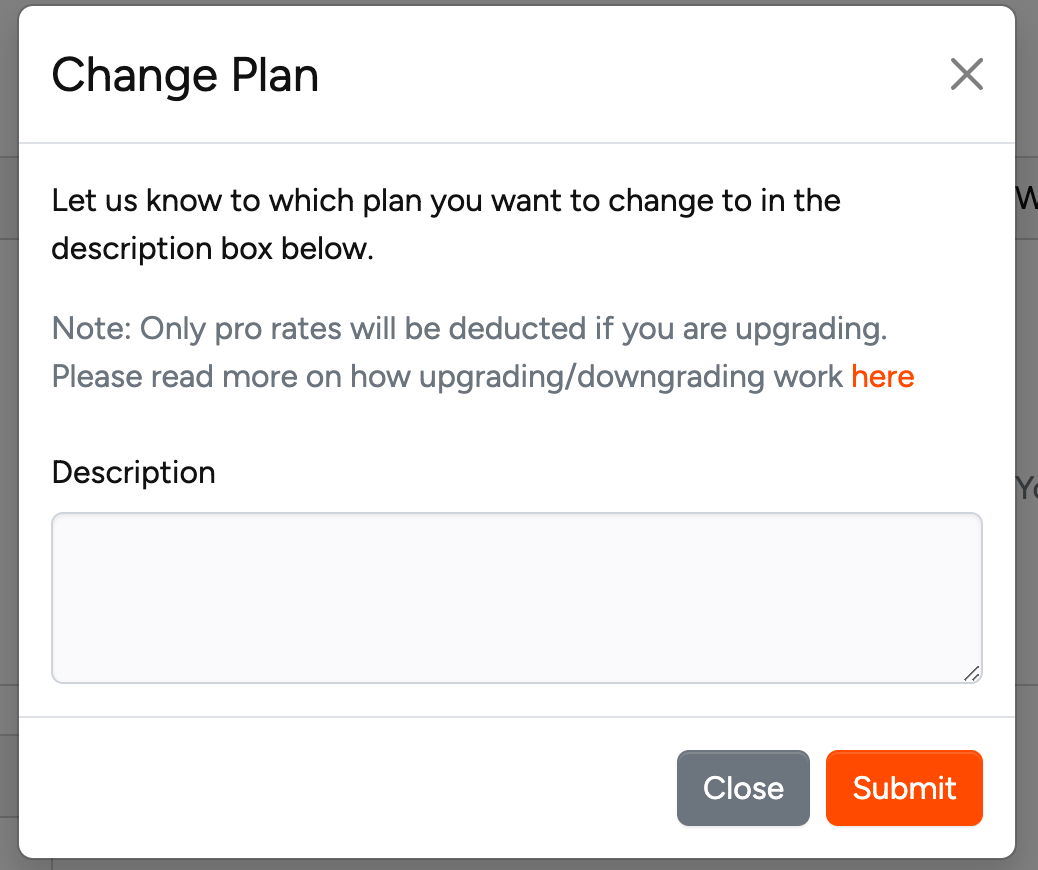
Currently, you cannot upgrade or downgrade on your own. The platform offers two alternative methods for modifying your subscription tier.
In the App
Follow these steps:
- Navigate to your account page
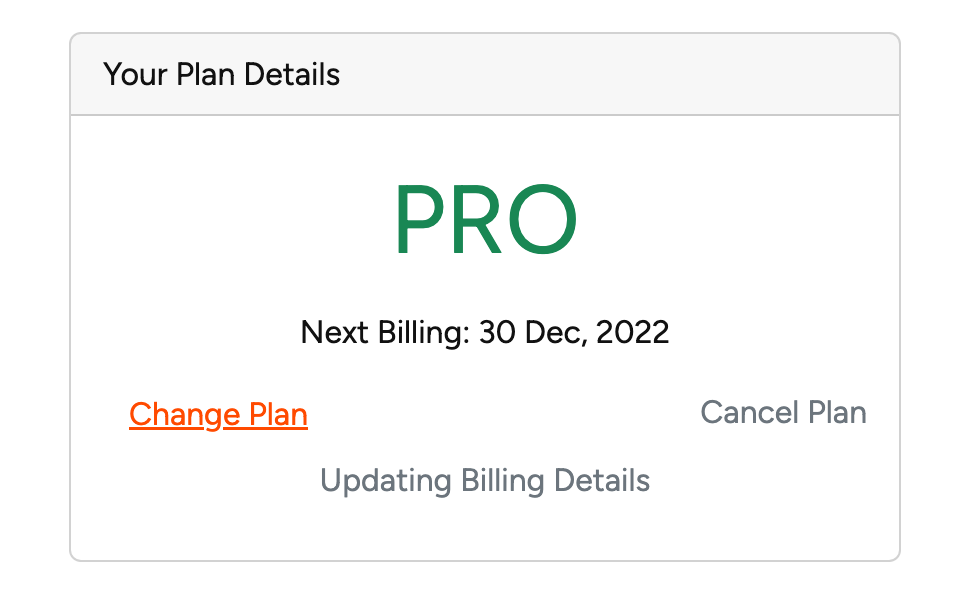
- Locate the "Your Plan Details" card (visible to paid users)
- Select "Change Plan"
- A dialog will appear where you can communicate your request
- Submit your message detailing the desired plan change
- Processing occurs within 24 hours
Chat Support
Alternatively, you can:
- Click the help button on the right side
- Request an upgrade or downgrade
- Changes may be processed immediately or within the next business day, depending on support availability