This article explains how the recurring tasks app works and in which use cases it can be used.
This app duplicates a notion document of your choice at a specific time. The time can be defined flexibly, daily, weekly, monthly, etc.
Use Cases
- Daily Meeting Notes — Streamline meeting documentation by scheduling automatic page duplication on weekdays at 9 am
- Weekly Journal — Create reflective practice by generating a new entry every Sunday
- Monthly Budgeting — Plan finances by creating fresh budget records on the first day of each month
Daily Habit Tracker
Reference example available at: Habit Tracker Example
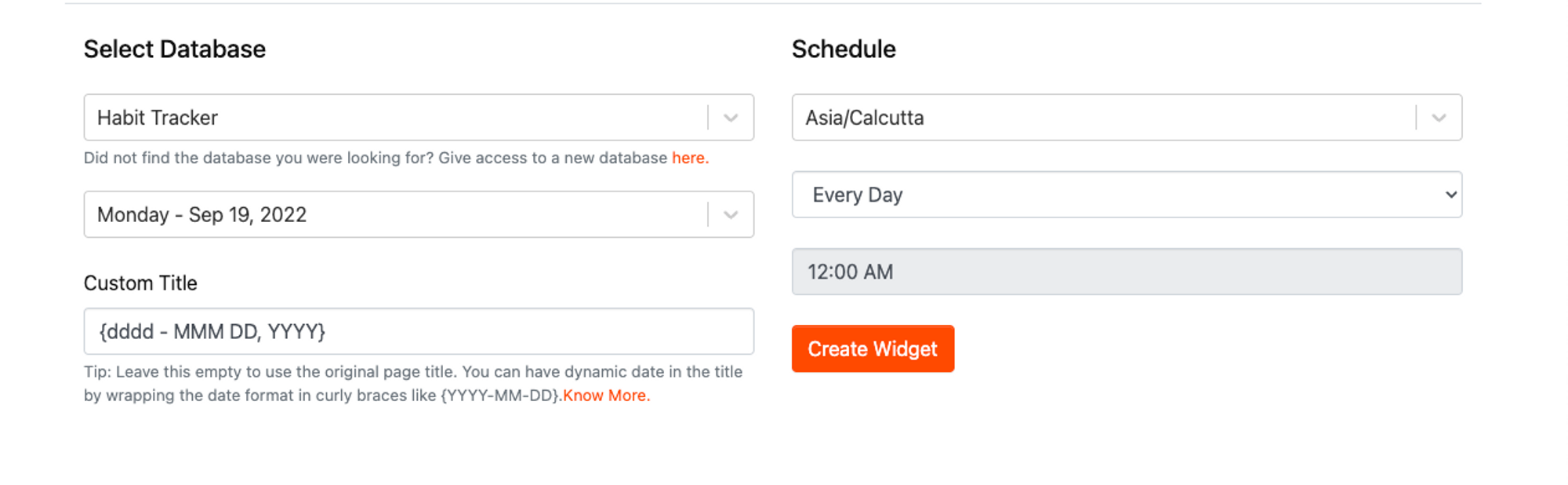
This setup executes daily at midnight, duplicating the base page template. The custom title format {dddd - MMM DD, YYYY} automatically displays the current date.
Monthly Budget
Reference example: Monthly Budget Example
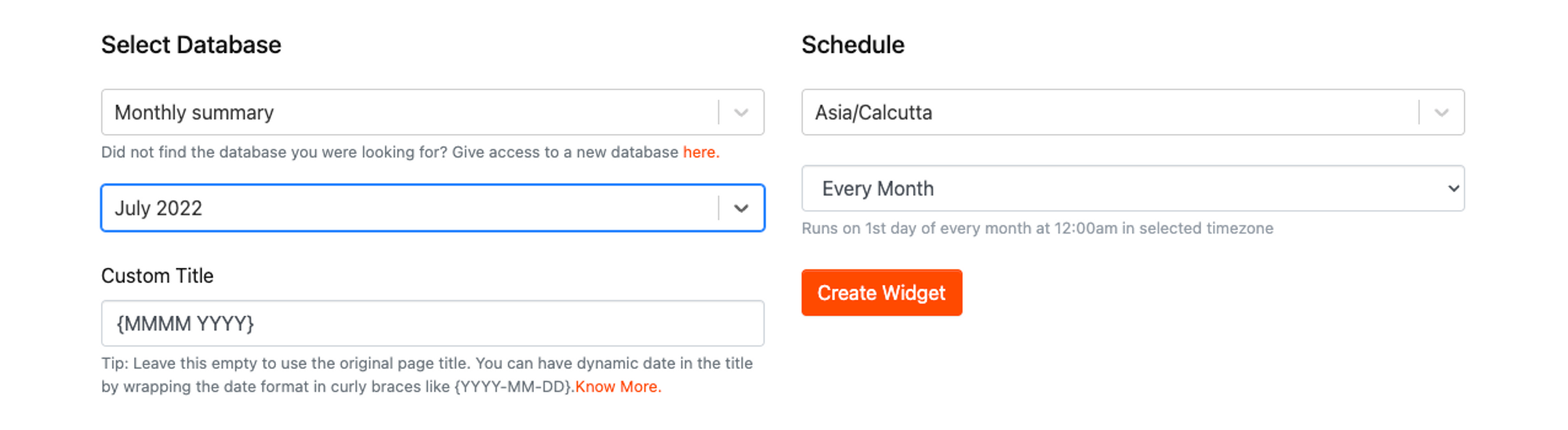
This app is scheduled to run "First Day of Every Month at 12:00AM" and duplicates the page. The title format {MMMM YYYY} displays the current month and year.
Weekend Freelance Work
Reference example: Weekend Freelance Work Example
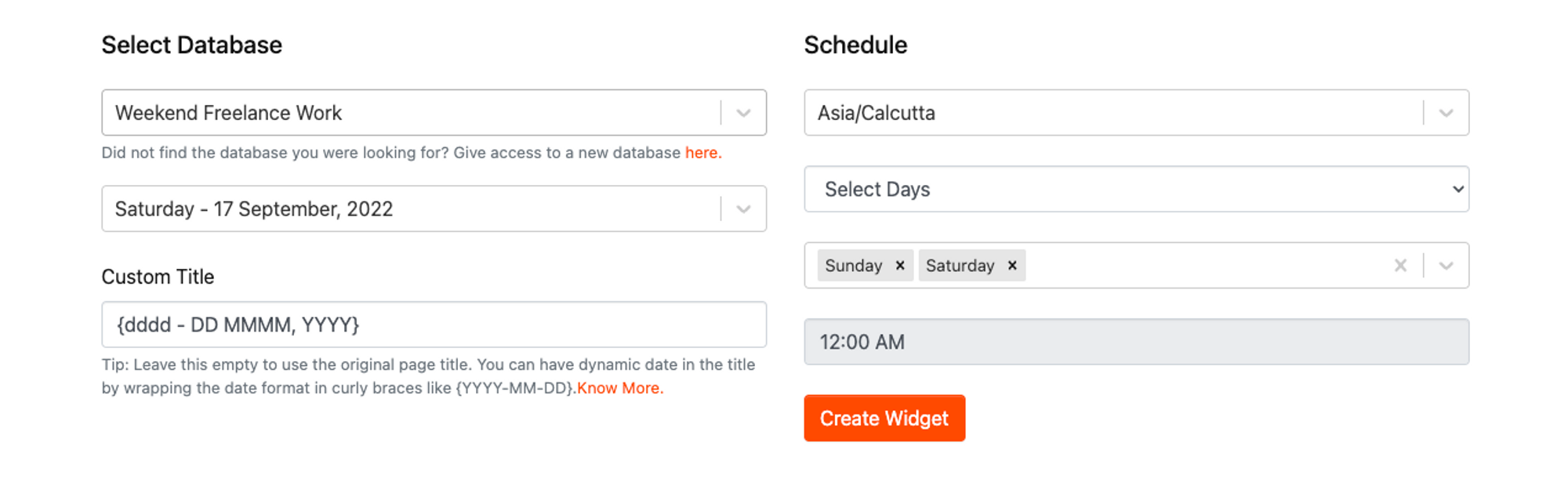
This app is scheduled to run "Every Saturday and Sunday at 12:00AM" and duplicates the page. Uses the format {dddd - DD MMMM, YYYY} for automated date insertion.